Timed subtitle text export
Subtitle Generator
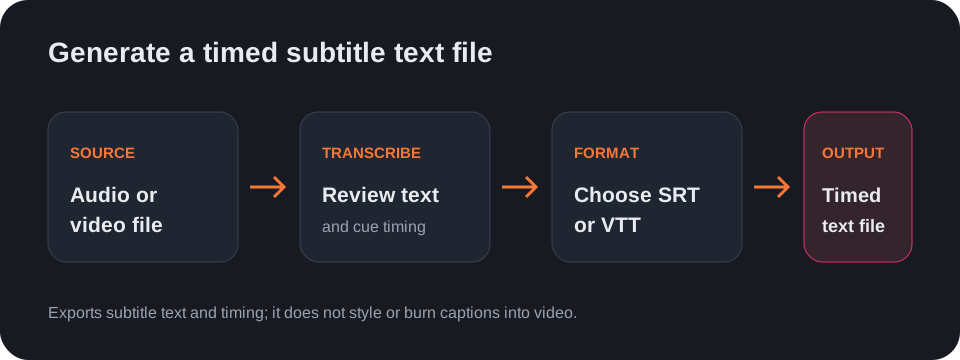
Transcribe an audio or video file, then generate a timed subtitle text file by downloading the result as SRT or VTT.
Start with a recording in the audio-to-text tool or a video in the video-to-text tool. After transcription, choose SRT or VTT in the output selector and download the subtitle text.
What this subtitle generator makes
It produces text cues with timing in SRT or VTT format. It does not apply fonts, colors, positioning, animations, or burn subtitles into the original media.
Review before publishing
Check the wording and cue timing against the source before using the file. Pay particular attention to names, numbers, and lines where speakers overlap.
Questions
How do I generate an SRT subtitle file?
Transcribe an audio or video file, select SRT as the output format, and download the result.
Can I make VTT subtitles instead?
Yes. Select VTT after transcription and download the timed text file.
Does this tool burn subtitles into video?
No. It exports SRT or VTT text; it does not render subtitles onto the video image.
For audio-only subtitle exports, see audio to subtitles.