MP4 file transcription
MP4 to Text
Select an MP4 video file in the video-to-text tool, transcribe its speech, and copy or download the timestamped text.
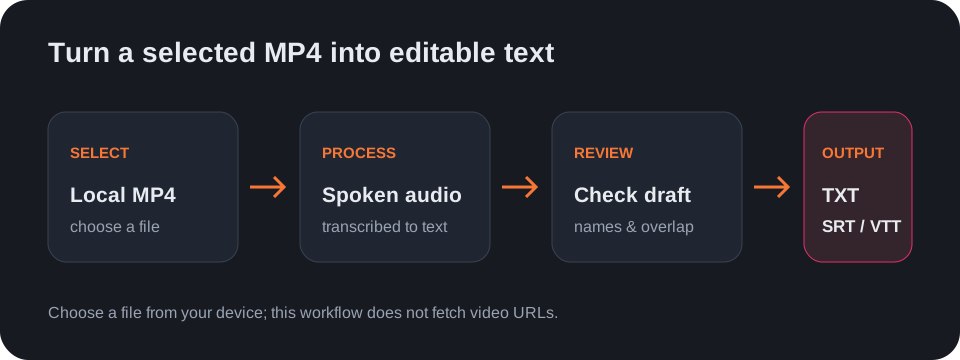
This MP4 to text workflow works with a file you can select from your device. It does not fetch a video from a URL. Open the video-to-text tool, choose the MP4, select its language or Auto-detect, and run transcription.
What you can export
After transcription, the tool can render the result as plain text or as SRT or VTT with timestamps. It does not edit the video or burn captions into the picture.
Review before reusing the transcript
Check names, numbers, short corrections, and lines where people speak over one another against the original MP4. The output is a draft to review, not a claim that every word is correct.
Questions
How do I convert MP4 to text?
Choose the MP4 file in the video-to-text tool, select the spoken language, and press Transcribe.
Can I paste an MP4 link?
No. The tool works with a video file selected from your device, not a pasted URL.
Can I download subtitles from an MP4?
Yes. After transcription, select SRT or VTT and download the timed text file.