M4A audio transcription
M4A to Text
Choose an M4A recording in the audio-to-text tool, transcribe its speech, then copy or download the timestamped text.
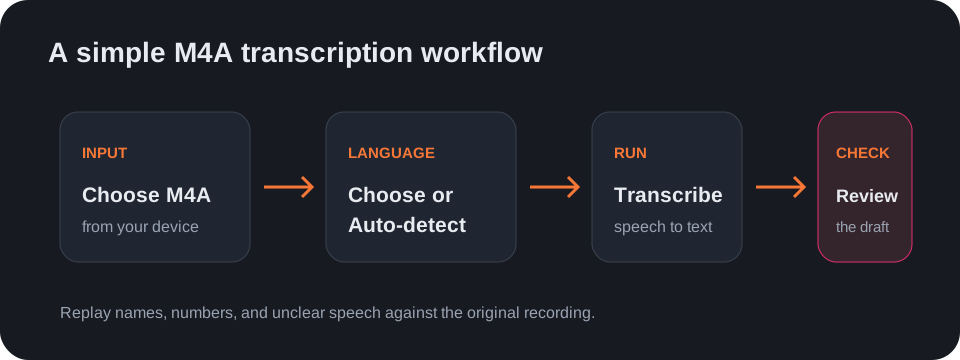
To convert M4A to text, open the audio-to-text tool and select the M4A file from your device. Choose the spoken language or Auto-detect before starting.
Transcript and subtitle exports
After processing, switch the result to plain text or export it as SRT or VTT. Those subtitle formats preserve timing; they do not add visual styling or burn captions into a video.
Check the result against the recording
Listen again to names, numbers, accents, and overlapping voices before quoting or sharing the transcript. Treat the generated text as a reviewable draft.
Questions
Can I transcribe an M4A file online?
Yes. Select the M4A file in the browser-based audio-to-text tool and run transcription.
Can I download the M4A transcript?
Yes. Copy it or download the result as TXT, SRT, or VTT after transcription.
Does the tool need an M4A URL?
No. Choose the audio file from your device; the tool does not retrieve a file from a pasted link.
Open the audio-to-text tool · See the WAV-to-text workflow